How to clean up a voiceover recording before publishing
August 27, 2026
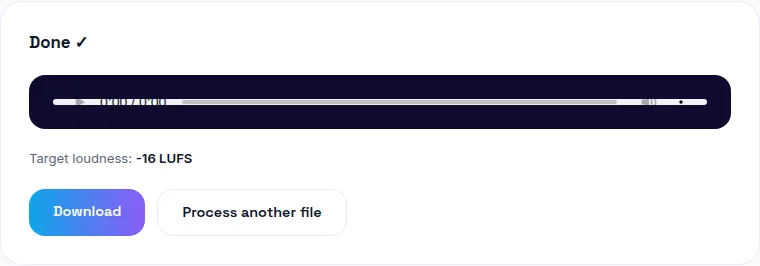
Clean a voiceover recording by removing background noise first, then normalizing loudness to a target that matches wherever it's being published — YouTube and Spotify target around -14 LUFS, e-learning/broadcast-style content around -16 LUFS, audiobook narration -23 to -18 LUFS. You can clean your voiceover free here, then normalize it here, both in your browser.
The right order: noise first, loudness second
Remove background noise before normalizing loudness, not after. Cleaning noise first means the loudness measurement reflects your actual voice, not a noise floor mixed in with it — normalizing before cleaning skews the target, since the measurement includes hiss or hum that shouldn't count toward "how loud is this voice."
What LUFS should voiceover narration be?
It depends entirely on where the narration is going:
-14 LUFS: YouTube and Spotify's target — use this for narration headed to either platform.
-16 LUFS: The e-learning/broadcast-style convention (the target many screen-recording and course-authoring tools default to) — use this for course narration or corporate training content.
-23 to -18 LUFS: Audiobook narration's typical range (Audible's specification) — quieter than video content, reflecting how audiobooks are usually listened to in a quiet environment through headphones.
Match your target to wherever the narration is actually being published, not a one-size-fits-all number — a course video hosted on YouTube should hit YouTube's target even if the content itself is educational, since the platform is what determines the loudness comparison other content is normalized against.
Why turning up your own volume doesn't fix a quiet recording
Turning up your own playback volume only changes what you hear on your device — it doesn't change what's actually stored in the file. Everyone else who plays the file hears it at its original, quiet level regardless of what you did on your end. Loudness normalization is different: it actually raises the file's measured loudness to a target, which is what fixes the problem for every listener, not just you.
Does noise removal work the same way for voiceover as for podcasts?
Yes — the underlying process is identical regardless of content type: analyze a constant background signature (room hiss, fan hum, air conditioning) and suppress it throughout the recording. Whether the file is a podcast episode, a course narration, or an audiobook chapter, the same noise-removal approach applies.
No software to install
Both steps can run entirely in your browser, so your narration file never has to be uploaded to a server to get cleaned up and normalized — it stays on your device from start to finish.
The bottom line
Clean the noise out first, then normalize to a target that matches your platform — not a generic "louder" fix. Start with noise removal free, then finish with loudness normalization, both without installing anything or uploading your file anywhere.
Frequently asked questions
What's the right process for cleaning up a voiceover?
Remove background noise first, then normalize loudness. Cleaning noise first means the loudness measurement reflects your actual voice, not a noise floor mixed in with it — reversing the order skews the loudness target.
What LUFS should voiceover narration be?
It depends on the platform: YouTube and Spotify target around -14 LUFS, broadcast/e-learning content (the Camtasia-style convention) often targets -16 LUFS, and audiobook narration (Audible's spec) targets -23 to -18 LUFS. Match your target to wherever the narration is actually being published.
Why does my narration sound too quiet even after I turned up the volume?
Turning up your own playback volume doesn't change what's actually stored in the file — if the recording itself is quiet, everyone else hears it quiet too. Loudness normalization actually raises the file's measured loudness to a target, which is what fixes this for every listener, not just you.
Does background noise removal work on voiceover the same way as podcast audio?
Yes — the same noise-removal process (analyzing and suppressing a constant background signature like hiss, hum, or fan noise) applies regardless of whether the recording is a podcast, a tutorial narration, or an audiobook chapter.
Can I clean and normalize a voiceover without installing software?
Yes — a browser-based tool can do both steps locally, so your narration file never has to be uploaded anywhere to get cleaned up.