How to convert MP4 to MP3 for free (no quality loss)
August 19, 2026
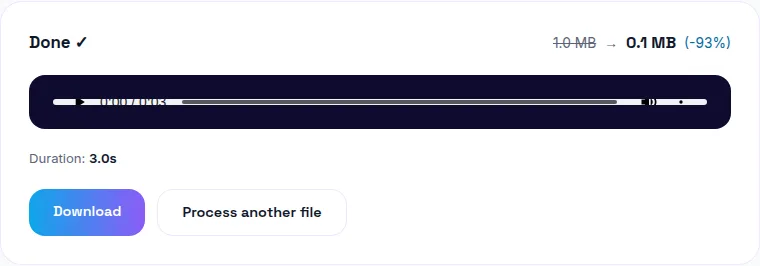
To convert MP4 to MP3 for free without losing quality, pull the existing audio track out of the video and encode it at 192-320kbps — since the audio in your MP4 is already compressed, there's no meaningful quality to lose as long as the output bitrate is comparable or higher. You can convert your MP4 to MP3 free here, entirely in your browser, no upload required.
What people actually convert MP4 to MP3 for
The single most common reason is pulling audio out of a video to use on its own — a podcast episode recorded on camera, the audio track of a tutorial, a voice memo saved as video by accident, or a piece of music from a downloaded clip. A close second is making a ringtone (more on that below), and a third is just wanting a smaller file when only the sound matters.
"Convert to MP3" and "extract audio" are the same operation
Whether a tool calls it "convert MP4 to MP3" or "extract audio from video," it's doing the same thing under the hood: pulling the existing audio stream out of the video container and encoding it as a standalone MP3 file. The video portion is read but never modified — you're not converting the video, just separating and re-encoding its sound.
Why your converted MP3 might come out silent
If the output plays but has no sound, the most likely cause is that the source MP4 genuinely has no audio track — screen recordings with system audio disabled, or muted export settings from another tool, produce video-only files. Confirm the original video actually has sound (play it with volume up) before assuming the converter is broken.
A less common cause is an audio codec inside the MP4 that the converter doesn't recognize — rare with standard MP4/AAC files, more likely with video from an unusual source or an old/corrupted export.
MP4 to MP3 for a ringtone: one extra step
MP3 alone won't work as an iPhone ringtone — Apple requires the M4R format specifically. The practical workflow: convert MP4 to MP3 (or trim the video to just the section you want first), then use a separate M4R conversion step, since M4R is really just an AAC file with a renamed extension and a length cap (40 seconds on most iOS versions). Android is more forgiving and generally accepts MP3 directly as a ringtone.
Is it safe (and legal) to convert video to MP3 online?
Safety is a question of where your file goes — a browser-based converter that processes locally never uploads your video, so there's no third-party server involved at all. Legality is a separate question and depends entirely on what you're converting: converting your own recordings is fine; converting copyrighted content you don't have rights to (someone else's music video, for instance) isn't something a conversion tool makes legal just because it's technically possible.
Why some conversions are slower than others
A short clip converts almost instantly. A long video (a full lecture recording, a multi-hour stream) takes proportionally longer, since the tool has to decode the entire audio stream before it can re-encode it. There's no way around this for a genuinely long source file — it's a real processing cost, not a broken tool.
The bottom line
Converting MP4 to MP3 is a lossless-enough, near-instant operation for most files — the audio was already compressed, you're just re-packaging it. Try WavyVid's MP4-to-MP3 converter free — drop your video in, download the MP3, and your file never leaves your device.
Frequently asked questions
How do I convert MP4 to MP3 without losing quality?
The audio track in your MP4 is already compressed (usually AAC) — converting to MP3 at a comparable or higher bitrate (192-320kbps) keeps quality effectively unchanged. The bigger risk is a tool that also re-compresses aggressively by default; check the output bitrate if quality matters.
Why is my converted MP3 silent or corrupted?
This usually means the tool tried to convert a video with no audio track, or hit a codec it doesn't support inside the MP4 container. Confirm the source video actually has sound first.
Can I use an MP4-to-MP3 conversion to make an iPhone ringtone?
Not directly — iPhone ringtones need the M4R format, not MP3. Convert to MP3 first if you want the audio for general use, or look for a tool that exports M4R specifically if the end goal is a ringtone.
Is it safe to convert MP4 to MP3 with an online tool?
Only if you know where your file goes. A browser-based converter that processes locally never uploads your video, which is the safer option if the content is personal or copyrighted.
What's the difference between converting MP4 to MP3 and just extracting the audio track?
For most tools, nothing — both mean pulling the existing audio out and encoding it as MP3, without touching the video. "Extract audio" and "convert to MP3" describe the same operation from two different angles.