How to merge audio files online for free
August 19, 2026
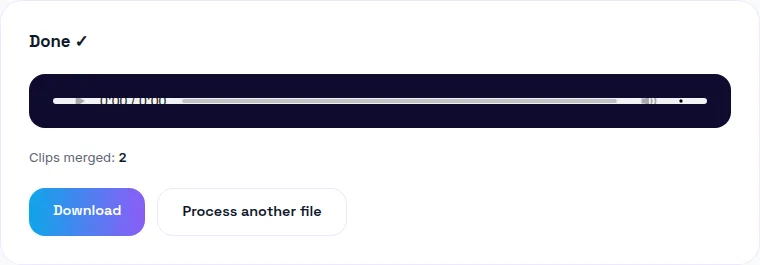
To merge audio files online for free, use a browser-based tool that decodes each clip and re-encodes them to a shared format before joining them — that's what prevents the quality loss or sync glitches that come from naively gluing mismatched files together. You can merge your audio files free here, drag to reorder them, and download — no upload, no signup.
Why joining audio files isn't always as simple as it sounds
Two audio files can look compatible and still cause problems when joined naively — different sample rates, different formats, or a codec mismatch can produce a click, a gap, or a pitch shift at the seam. The fix is straightforward: decode both files down to raw audio first, then re-encode the combined result as one file. Any tool built this way handles mixed formats without issue.
The most common real use case: combining voice memos
iPhone's Voice Memos app has no built-in way to combine separate recordings into one file — if you recorded a conversation, lecture, or interview across several memos (because you paused, or the app auto-split it), you're stuck with separate files unless you merge them elsewhere.
The fix: export each memo (tap the memo, share, save to Files), then upload them in order to a merge tool. Most people hit this exact wall trying to consolidate voice memos before transcribing or editing them as one recording.
Podcast segments: intro, main, outro
If you record your podcast intro, main interview, and outro as separate takes — a common workflow, since re-recording just the outro doesn't mean re-recording the whole episode — merging them into one file for upload is the last step before publishing. Order matters here more than in most merge use cases, so a tool that lets you drag clips into the right sequence (rather than forcing alphabetical or upload order) saves a re-do.
Is it safe to merge audio online?
That depends entirely on where your file goes. Many "free online audio merger" tools upload your files to a server, process them there, and send back a result — which means trusting an unknown third party with the content, however briefly. A browser-based tool that decodes and joins files locally never uploads anything, which sidesteps the question of trust entirely: there's no server in the loop to trust or not trust.
Mixed formats going in — does that matter?
Not if the tool decodes each file independently before combining them. You can merge an MP3 voice memo with a WAV recording and a M4A clip in the same batch — each gets decoded to raw audio, then all of it is re-encoded together as one output file. The mixed input formats are a non-issue as long as the merge step doesn't just concatenate the raw compressed files (which is the naive approach that causes glitches).
After merging: check loudness consistency
If your source clips were recorded at different volumes — a common outcome when combining takes from different days or different microphones — the merged file will have jarring volume jumps between segments. Run the result through a loudness normalizer afterward to smooth that out before publishing.
The bottom line
Merging audio files is a two-minute job once you have the right tool: decode-then-join to avoid glitches, drag-to-reorder so segments land in the right sequence, and local processing if privacy matters. Try WavyVid's merge tool free — drop in your clips, reorder if needed, and download the combined file.
Frequently asked questions
How do I merge audio files without losing quality?
Use a tool that decodes each clip and re-encodes them all to a shared format before joining — mismatched sample rates or formats are what usually cause quality loss or sync glitches when files are joined naively.
How do I combine iPhone voice memos into one file?
Export each memo (share → save to Files), then upload them in order to a merge tool — the Voice Memos app itself doesn't have a built-in way to combine recordings.
Is it safe to merge audio files online?
It depends entirely on whether the tool uploads your files to a server. A browser-based tool that processes locally never sends your audio anywhere, which sidesteps the privacy question entirely.
Can I reorder clips before merging, or fix a mistake?
A good merge tool lets you drag to reorder and remove a clip before committing — check for that before you start uploading files one at a time in the wrong order.
Can I merge different audio formats together (e.g. MP3 and WAV)?
Yes, as long as the tool decodes each file independently first — mixed formats going in isn't a problem since they're all normalized to one format before being joined.