WebM file won't play? How to convert it to MP4
August 19, 2026
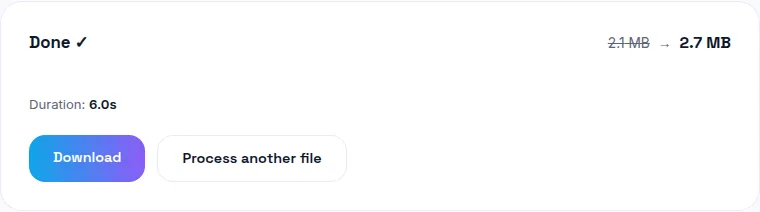
If a WebM file plays fine in Chrome or Firefox but won't open on an iPhone, in Windows Media Player, or in most apps outside a browser, the file almost certainly isn't broken — WebM just has poor support outside browsers, and MP4 is the fix. You can convert your WebM to MP4 free here, entirely in your browser.
Why WebM plays in some places and not others
WebM is a modern, efficient format (typically wrapping VP9 or AV1 video) with excellent support in Chrome, Firefox, and most browsers — it's frequently the default output of screen recorders and in-browser video capture tools, since browsers can natively encode and play it without needing a separate codec. The problem is everywhere else: Windows Media Player, QuickTime, iPhone's Photos and Files apps, and a lot of older or non-browser software either don't support WebM at all or support it inconsistently.
Is my WebM file corrupted?
Almost certainly not — if it plays correctly in a Chromium or Firefox-based browser, the file itself is fine. The failure you're seeing elsewhere is a compatibility gap, not file damage. A genuinely corrupted file typically won't play anywhere, including the browser it came from.
Converting WebM to MP4 without losing quality
WebM and MP4 use different video codecs, so converting between them does require re-encoding — there's no way to just repackage the same compressed data into a different container the way you sometimes can between closely related formats. The practical fix: re-encode at a bitrate similar to or higher than the source. At a matched bitrate, the quality difference between the original WebM and the converted MP4 is negligible for normal viewing.
Why MP4 is the safe default for sharing
MP4 using H.264 video and AAC audio is about as close to universally supported as video formats get — it plays on iPhone, Android, every major OS's default player, virtually every video platform, and almost any editing or playback software you'll encounter. That's exactly why converting to MP4, rather than trying to find WebM-compatible software everywhere you need to use the file, is the practical fix.
Where WebM files typically come from
Screen recording tools (many browser extensions and built-in OS screen capture features default to WebM), browser-based video editors, and some webcam/video-call recording features all commonly output WebM by default — quietly, without necessarily telling you that's the format. The compatibility problem usually only surfaces once you try to text, upload, or open the file somewhere other than where you captured it.
The bottom line
A WebM file that won't open outside a browser isn't damaged — it's just in a format most non-browser software doesn't support. Convert it to MP4 free with WavyVid and it'll open anywhere, no upload, no re-recording needed.
Frequently asked questions
Why won't my WebM file play?
WebM is well-supported in Chrome, Firefox, and most browsers, but poorly supported outside them — it typically won't open in Windows Media Player, QuickTime, or on an iPhone at all. The file usually isn't broken; it's just an unsupported format on that device.
Is WebM a bad or low-quality format?
No — WebM is a modern, efficient format (often using VP9 or AV1 video), commonly produced by screen recorders and some browsers' built-in capture tools. Its limitation is compatibility, not quality.
How do I convert WebM to MP4 without losing quality?
Re-encode at a bitrate similar to or higher than the source — since WebM and MP4 use different video codecs, some re-encoding is unavoidable, but at a matched bitrate the difference is negligible for typical viewing.
Will converting WebM to MP4 fix playback on iPhone?
Yes — MP4 (H.264/AAC) is universally supported across iPhone, Windows Media Player, and virtually every video player and platform, which is exactly why it's the safe default for sharing outside a browser context.
Where do WebM files usually come from?
Screen recording tools, some browsers' native video capture, and various web-based editors default to WebM since it's natively playable in-browser without any conversion — the compatibility problem only shows up once you try to use the file somewhere else.